A logo can pass a script check and still contain a <style> block that reaches outside the file. CSS inside SVG can import a stylesheet, request a remote resource through url(...), or apply rules much more broadly than a developer expects. A sanitizer that removes only <script> and onload has not finished the job.
Use this fast decision rule:
If uploaded SVG does not need embedded CSS, remove <style> and style attributes. If it does, parse the CSS, reject imports and external URLs, allow only the properties your artwork needs, and serialize the normalized result. Never sanitize CSS with regex alone.
For the complete intake pipeline, start with the SVG XSS sanitization guide. If you only need a clean vector made from a trusted raster image, use Image to SVG instead of accepting unknown active markup.
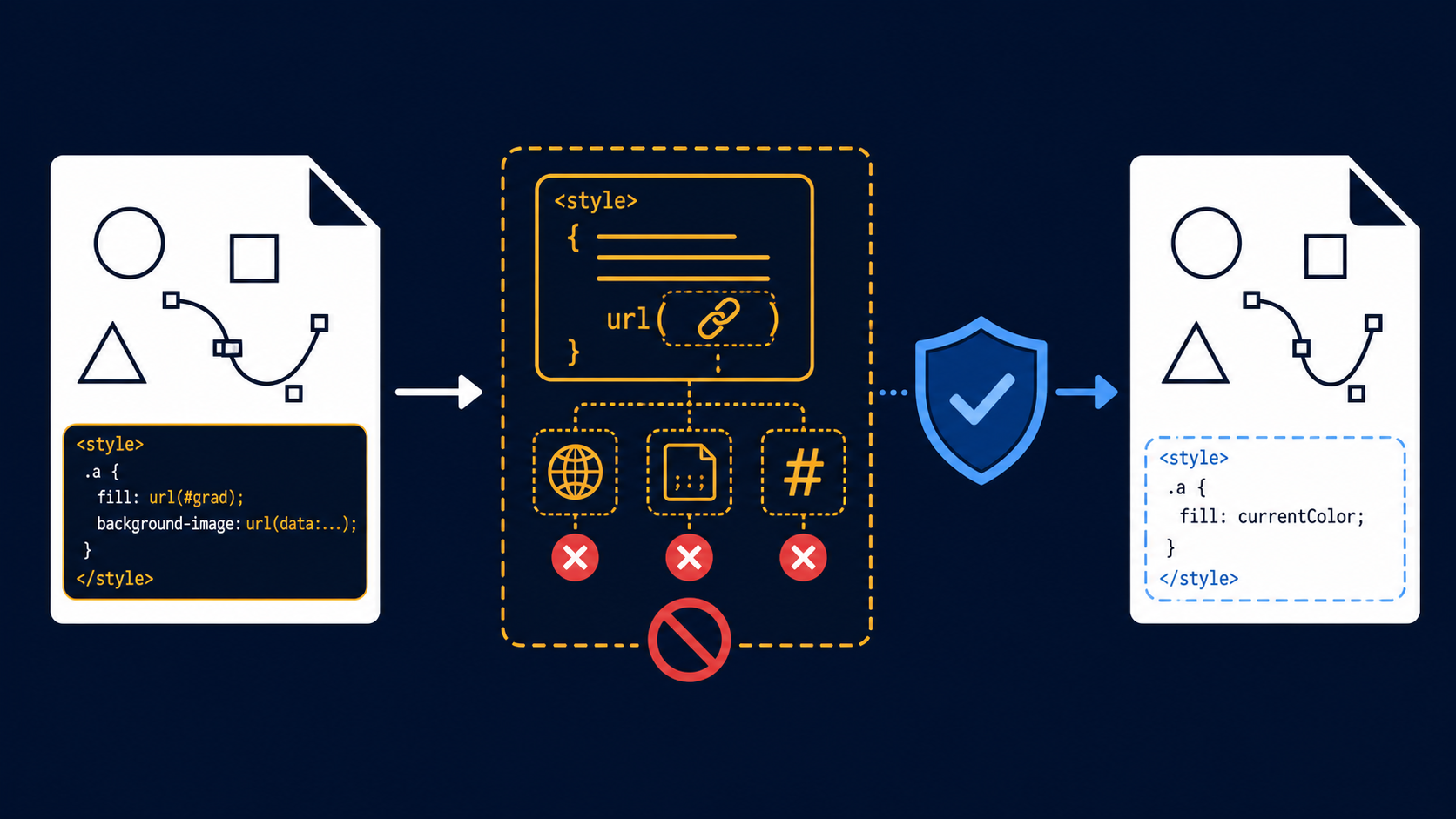
Can an SVG style element create a security risk?
Yes. SVG is an XML document that supports CSS, and CSS can contain resource references, imports, selectors, and values that deserve the same untrusted-input treatment as other active markup. The exact impact depends on the embedding context, browser, and response policy, but unreviewed CSS should not cross an upload boundary unchanged.
SVG style element security is the practice of restricting or removing CSS embedded in an SVG before that file is stored, displayed, edited, or served to another user. It covers both <style> elements and per-element style attributes.
A file can look ordinary while including a remote request:
<svg xmlns="http://www.w3.org/2000/svg" viewBox="0 0 100 100">
  <style>
    @import url("https://example.invalid/tracker.css");
    .logo { fill: url("https://example.invalid/paint.svg#gradient"); }
  </style>
  <path class="logo" d="M10 10h80v80H10z" />
</svg>
The visible path is not the problem. The CSS asks the browser to contact another origin. That can leak when a file was opened, expose a viewer's IP address, and create unstable output if the remote resource changes.
MDN documents the SVG style element and CSS url() function. OWASP recommends positive allowlists and careful handling of URL-bearing contexts in its Cross Site Scripting Prevention Cheat Sheet.
Which CSS features should an SVG sanitizer reject?
Reject @import, external url(...) values, unknown at-rules, unsupported properties, malformed declarations, and any CSS syntax your policy cannot confidently normalize. For a simple logo service, keeping only basic presentation properties is safer and easier to test than trying to preserve the full CSS language.
| CSS feature | Why it matters | Safe default |
|---|---|---|
@import | Loads another stylesheet | Reject |
External url(...) | Can trigger network requests or reference active content | Reject |
Same-document url(#id) | Used by gradients, masks, filters, and clips | Allow only after validating the target |
| Unknown at-rules | Expand the parser and browser behavior you must understand | Reject |
| Custom properties | Can hide and later substitute complex values | Reject unless explicitly required |
fill, stroke, opacity | Common visual presentation | Allow with value validation |
display, visibility | Can alter what a reviewer sees | Allow only if the product needs them |
| Animation and transition properties | Add timing and state changes | Remove from public uploads; use the SVG animation security guide if motion must survive |
Do not search the raw file for http and call it done. CSS supports comments, escapes, nested functions, and character encoding. The sanitizer must make a decision about parsed tokens, not suspicious-looking substrings.
Should you remove style elements or sanitize them?
Remove style elements when the product accepts simple icons, avatars, or logos and does not promise full CSS fidelity. Sanitize them only when preserving complex artwork is a real user requirement and you have a CSS parser, a documented allowlist, regression fixtures, and browser-level tests.
Choose the least powerful format that still delivers the user's desired outcome:
- Simple public logo upload: remove
<style>andstyle, then keep validated presentation attributes. - Complex customer artwork: parse CSS, reject imports and external URLs, allow specific properties, and show the sanitized preview before saving.
- Appearance-only preview: rasterize to PNG or WebP in an isolated service.
- Trusted design-system icon: review it in source control, optimize it, and treat changes like code.
- Unknown file that cannot be parsed safely: reject it with a clear error instead of guessing.
The SVG upload security checklist covers file limits, XML parsing, sanitization, storage, and delivery. For files containing event attributes as well as CSS, use the SVG event-handler security guide.
How do you sanitize CSS inside an SVG safely?
Parse the SVG as XML, extract every style block and style attribute, parse each CSS value with a maintained CSS parser, enforce a small property allowlist, validate URL tokens, and write a normalized result. Reject the whole file when parsing fails or when a declaration cannot be classified safely.
A production pipeline should follow this order:
- Reject oversized files and excessive element, attribute, path, or nesting counts.
- Parse XML with DTD and external entity processing disabled.
- Remove forbidden SVG elements and attributes before inspecting CSS.
- Parse each
<style>block as CSS; never split declarations on semicolons yourself. - Reject
@importand every unrecognized at-rule. - Reject network schemes and protocol-relative URLs in all CSS URL tokens.
- Permit
url(#local-id)only when the referenced element exists and its type is allowed. - Keep a small set of properties such as
fill,stroke,stroke-width, andopacity. - Convert safe declarations to presentation attributes when that simplifies later validation.
- Serialize, parse again, and assert that the output still satisfies the policy.
Use a maintained sanitizer configured specifically for SVG. DOMPurify supports SVG, but its maintainers warn that changing sanitized markup afterward can void the protection. Server-side upload systems should also validate before storage and isolate delivery.
Are inline style attributes safer than style blocks?
Inline style attributes remove selectors and imports at the stylesheet level, but their values can still contain functions and URL references. They are simpler to scope than a style block, not automatically safe. A strict set of SVG presentation attributes is usually easier to audit than either form of arbitrary CSS.
Compare these representations:
<path style="fill: url(https://example.invalid/x.svg#g)" d="..." />
<path fill="#2563eb" stroke="#0f172a" d="..." />
The second form has a smaller validation problem: confirm that fill and stroke use permitted color syntax. But presentation attributes are not universally harmless. Properties such as fill, filter, clip-path, and mask can accept url(...), so validate their parsed values and allow only known same-document targets when needed.
If external references are part of the file, follow the SVG external-reference security guide. If the CSS is being encoded into a data: URL, use the SVG data URI security guide.
How do you preserve gradients, masks, and filters safely?
Preserve visual definitions by allowing same-document fragment references such as url(#brandGradient) only when the target ID exists, is unique, and points to an allowed SVG element. Remove remote URLs, validate every referenced definition, and cap filter complexity so a valid-looking file cannot consume unreasonable rendering resources.
Use this reference check:
- The value must parse as a local fragment, not a network URL.
- The referenced ID must exist exactly once in the sanitized document.
- The target must be an allowed type such as
linearGradient,radialGradient,clipPath, or a constrained filter. - The referenced subtree must pass the same element, attribute, URL, and CSS policy.
- Reference chains and cycles must be bounded.
- The sanitized preview must still match expected artwork closely enough for the user to approve it.
For basic icons, remove filters and masks rather than maintaining a large policy. For a vector editor that genuinely needs them, define the supported subset and test it explicitly. SVG Genie's SVG editor can be the next step for reviewing clean, trusted artwork, while the SVG optimizer can reduce unnecessary export markup after security checks.
How should sanitized SVG CSS be tested?
Test the serialized document structurally and in a real browser. Structural tests should fail on forbidden style elements, attributes, at-rules, properties, or URL tokens. Browser tests should prove that hostile fixtures make no network requests or script-visible changes while valid gradients, clips, and colors still render correctly.
Build a regression set containing:
- a style block with
@import; - an external URL in
fill,filter, andbackground-image; - mixed-case and escaped URL schemes;
- comments inserted inside suspicious tokens;
- an inline style attribute with a remote URL;
- a valid
url(#gradient)reference; - a missing, duplicate, circular, or forbidden fragment target;
- malformed CSS that different parsers might recover differently;
- large selector lists, deeply nested definitions, and expensive filters;
- normal exports from the design tools your customers actually use.
Render the sanitized results on an isolated origin with a strict SVG Content Security Policy. Monitor requests, console errors, DOM mutations, navigation, and pixel snapshots. CSP is a backstop; a passing sanitizer should already have removed the unwanted CSS behavior.
What is the fastest safe policy for SVG CSS?
For public uploads, strip embedded CSS and retain only validated presentation attributes. For professional artwork that needs CSS fidelity, parse and allowlist it server-side, prohibit all network access, constrain local references, and require a post-sanitization preview. If the CSS cannot be understood safely, rasterize or reject the file.
The minimum launch checklist is:
- XML is parsed with dangerous document features disabled.
-
<style>andstyleare removed unless the product explicitly supports them. - Supported CSS is parsed, not cleaned with regex.
- Imports, external URLs, unknown rules, and unknown properties are rejected.
- Same-document references resolve once to allowed sanitized elements.
- File complexity and rendering resources are capped.
- Sanitized output is reparsed and browser-tested.
- Uploaded files are delivered with restrictive response headers.
- Users see the cleaned preview before the asset is published.
That policy reduces both security risk and support pain. The promise is not “every SVG feature survives.” The promise is “the useful artwork survives without letting an uploaded image behave like an unexpected web page.”
Frequently asked questions
Can an SVG style element be dangerous?
Yes. It can contain imports, external resource URLs, or CSS behavior your sanitizer did not anticipate. Remove or strictly parse embedded CSS from untrusted SVG.
Should an SVG sanitizer remove every style element?
For simple public uploads, yes. Preserve style elements only when CSS fidelity is required and every rule, property, and URL is parsed against a documented allowlist.
Is checking CSS for the word javascript enough?
No. CSS has escapes, comments, functions, imports, and parser recovery behavior. Use a CSS parser, normalize tokens, validate URLs, and reject syntax you do not support.
Are SVG presentation attributes safer than a style block?
A small allowlist of attributes such as fill, stroke, and opacity is easier to validate. Values that support url(...) still require strict local-reference checks.
How do I test sanitized SVG CSS?
Reparse the output and assert that forbidden CSS and URLs are absent. Then render hostile and valid fixtures in an isolated browser while monitoring requests, DOM effects, and visual regressions.
Create your own SVG graphics with AI
Describe what you need, get a production-ready vector in seconds. No design skills required.
About This Article
This article was written by SVG Genie Team based on hands-on testing with SVG Genie’s tools and years of experience in vector design and web graphics. All recommendations reflect real-world usage and are reviewed by the SVG Genie editorial team for accuracy.
About the Author
SVG Genie Team
SVG Design Expert & Technical Writer at SVG Genie
SVG Genie Team is a vector design specialist and technical writer at SVG Genie with years of hands-on experience in SVG tooling, AI-assisted design workflows, and web graphics optimization. Their work focuses on making professional vector design accessible to everyone.
More articles by SVG Genie Teamarrow_forward