An SVG upload bug is painful because it looks harmless in product planning. The feature request says "let users upload logos." The implementation allows .svg. The preview page inlines the file so colors can be edited. Then one malicious upload turns a brand asset into stored XSS.
The fast rule is:
Treat every untrusted SVG as active document input until it has passed server-side validation, SVG-specific sanitization, safe rendering rules, and restrictive response headers. If you only need a preview, render it as an image or rasterize it to PNG.
This guide is the practical version: what SVG XSS is, which patterns to remove, when <img> is safer than inline SVG, and what checklist to use before a user-uploaded SVG reaches production. If your team first needs the broader answer to "can SVG files contain malware?", use the malicious SVG file guide. If you only need to inspect a file you just received, use the open SVG file safely workflow. If you are still deciding whether the upload surface should accept SVG at all, start with the SVG upload security checklist first.
If the risky rendering path is a frontend component library, use the safe SVG icons in React guide for React-specific import, img, and dangerouslySetInnerHTML decisions. If your sanitizer keeps finding embedded HTML or surprising URL references, the SVG foreignObject security guide explains when to remove <foreignObject>, external href values, and mixed namespaces.
If your backend parses uploaded SVG as XML, secure that earlier boundary with the SVG XXE security guide before browser-focused sanitization begins. Also reject extension, MIME, XML-parser, and renderer disagreement using the SVG polyglot file security guide.
What is SVG XSS?
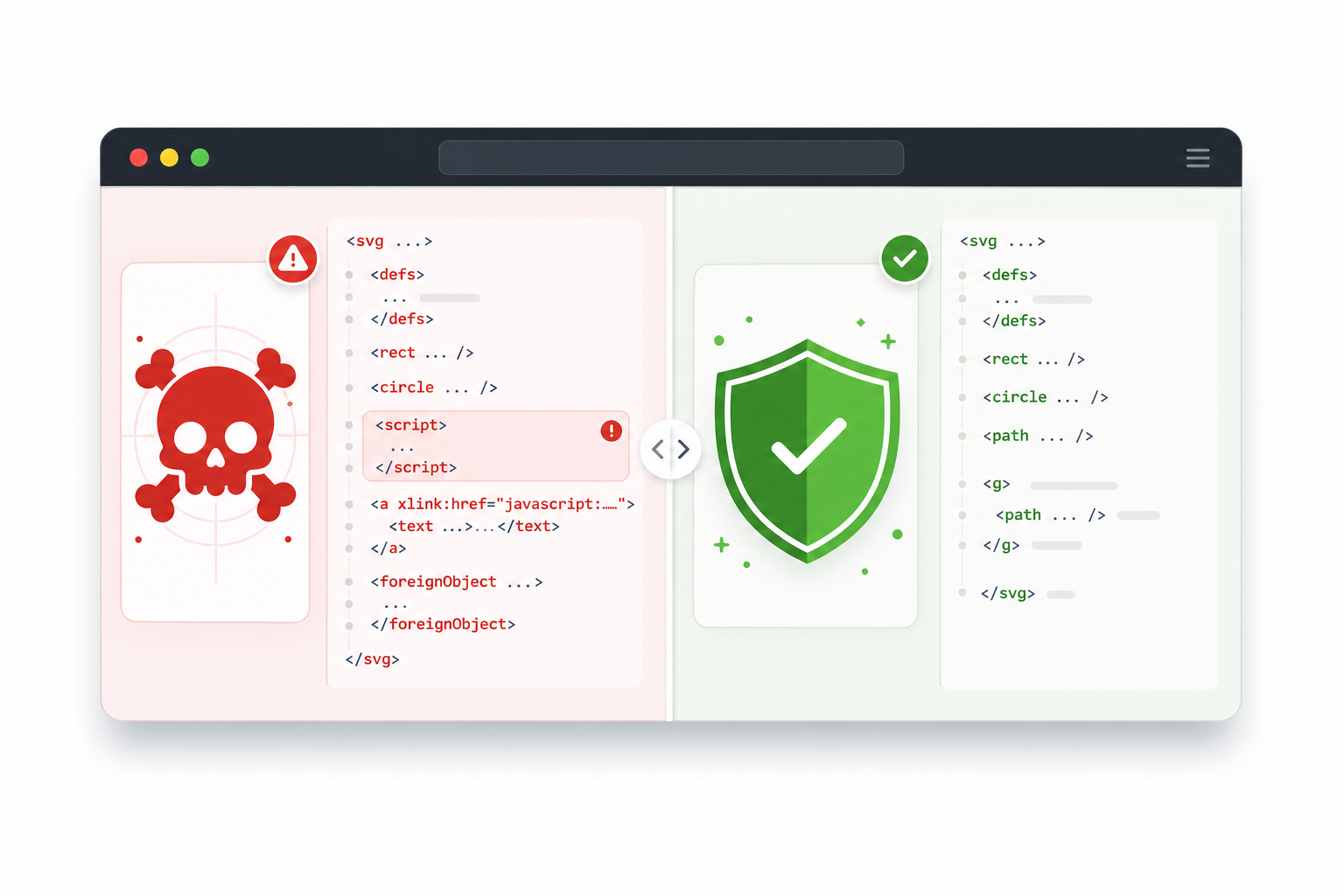
SVG XSS is cross-site scripting caused by treating an SVG file as a safe image when the browser can still parse parts of it as active XML, script, links, or embedded content. The risk is highest when an app accepts user-uploaded SVG and then inlines it, opens it directly, or serves it without restrictive headers.
SVG XSS is a security bug where JavaScript or active markup hidden inside an SVG executes in a user's browser. It is different from a bad PNG upload because PNG is a pixel format; SVG is a text-based document format with elements, attributes, links, namespaces, and browser parsing behavior.
A suspicious SVG can be as obvious as this:
<svg xmlns="http://www.w3.org/2000/svg">
  <script>alert("xss")</script>
  <circle cx="50" cy="50" r="40" />
</svg>
It can also hide in event attributes:
<svg xmlns="http://www.w3.org/2000/svg" onload="alert(document.domain)">
  <rect width="100" height="100" fill="black" />
</svg>
Useful security references:
- MDN: SVG script element
- OWASP: Cross Site Scripting Prevention Cheat Sheet
- DOMPurify: HTML, MathML, and SVG sanitizer
- MDN: Content Security Policy
For a focused inventory of script elements, event attributes, URL schemes, and verification fixtures, follow the SVG JavaScript security guide.
If you are making your own artwork or converting trusted assets, the risk is manageable. If you accept files from users, contractors, marketplaces, customers, or AI-generated downloads, the SVG should go through a real intake pipeline before it appears inside your app.
When does an SVG become dangerous?
An SVG becomes dangerous when untrusted file content reaches a scriptable browser context. The most common failure is a user-uploaded SVG that gets embedded inline with innerHTML, opened as a direct URL, inserted into an object/embed tag, or served from the same origin as the application without a restrictive Content Security Policy.
Use this decision table before deciding how to display an SVG:
| Use Case | Risk Level | Safer Handling |
|---|---|---|
| Your own hand-authored icon in source control | Low | Optimize, review, and inline if needed |
| SVG exported from Figma or Illustrator by your team | Low to medium | Review, optimize, preserve needed IDs |
| Client logo sent by email | Medium | Sanitize before upload or display |
| Marketplace/user-uploaded SVG | High | Server-side sanitize, render as image, strict headers |
| Public profile image upload | Very high | Rasterize to PNG for display, keep original as download only if needed |
| SVG pasted into a rich-text editor | Very high | Do not allow raw inline SVG from users |
The risky contexts are the ones that give the browser more power:
- Inserting raw SVG through
innerHTML. - Rendering user SVG through
<object>,<embed>, or<iframe>. - Opening uploaded SVG files directly on the same domain as the app.
- Allowing SVG inside CMS HTML, markdown, or rich-text fields.
- Serving user SVG from a path that shares cookies with your main app.
The boring choice is usually right: if the SVG is untrusted and only needs to look like an image, render it as an image or convert it to a raster preview.
How do I sanitize SVG before upload?
To sanitize SVG before upload, parse the file as XML on the server, reject dangerous document features, remove active elements and attributes, enforce an allowlist, cap file complexity, and store only the cleaned result. Do not rely on file extensions, MIME type strings, or client-side checks as your only defense.
Use this upload pipeline:
- Reject files over your size limit.
- Confirm the file is text/XML-like SVG, not a renamed binary.
- Disable DTD and external entity processing in the XML parser.
- Reject
DOCTYPE, entity declarations, and unknown namespaces. - Remove active elements like
<script>and<foreignObject>. - Remove all event attributes such as
onload,onclick, andonerror. - Remove or rewrite
hrefandxlink:hrefvalues that usejavascript:,data:, or external URLs; the SVG external reference security guide covers the full URL allowlist. - Remove external resource loads unless your product explicitly permits them.
- Keep only the SVG elements and attributes your product needs.
- Save the sanitized SVG and generate a PNG preview for high-risk surfaces.
The simplest sanitizer model is an allowlist, not a blocklist. A blocklist asks, "Did we remember every dangerous thing?" An allowlist asks, "Is this one of the few SVG features our app needs?" Apply that decision to the parsed namespace URI and local name together; the SVG namespace security guide covers mixed HTML, rebound prefixes, and legacy XLink references.
For a basic logo upload, you usually need:
svg,g,path,rect,circle,ellipse,line,polyline,polygon.viewBox,width,height,fill,stroke,stroke-width,d,transform,opacity.- Maybe
linearGradient,radialGradient,clipPath, andmaskif your product supports more complex logos.
You usually do not need:
scriptforeignObjectiframeaudioorvideo- inline event handlers
- external images
- external stylesheets
- remote fonts
- arbitrary namespaces
DOCTYPE
If the sanitized file loses visual details, that is a product decision, not a reason to loosen the sanitizer silently. Show users a preview and ask them to upload a simpler file or use a trusted workflow such as SVG Genie's image to SVG converter followed by the SVG editor.
Is <img> safe for displaying SVG?
Displaying SVG through an <img> tag is safer than inlining untrusted SVG because browsers treat it as image content and do not expose the same script execution path as raw inline markup. It is still not a full upload security strategy because users may open the file directly, download it, or reuse it in a different context.
Use <img> when the SVG is only decorative or visual:
<img src="/uploads/sanitized-logo.svg" alt="Uploaded logo" />
Avoid this for untrusted SVG:
<div id="preview"></div>
<script>
  preview.innerHTML = uploadedSvgString;
</script>
If your app needs to recolor or edit the SVG, do not jump straight to raw inline rendering. Safer options include:
- Sanitize on the server first, then load the cleaned file into a controlled editor.
- Parse the SVG and expose only safe editable properties such as fill color.
- Rasterize the upload to PNG for the public preview.
- Keep the SVG editor behind authenticated tooling, not public profile pages.
For generated or trusted design work, inline SVG can still be the right choice. The problem is not SVG itself. The problem is untrusted SVG in a powerful rendering context.
What should an SVG sanitizer remove?
An SVG sanitizer should remove anything that can execute script, load unexpected external resources, embed HTML, change parser behavior, or create unsafe links. The exact allowlist depends on your product, but the default should be strict enough for user-uploaded logos, icons, and illustrations. Use the SVG event-handler security checklist to catch onload, onclick, animation events, and other executable attributes that short blocklists miss.
Use this checklist:
- Remove
<script>. - Remove
<foreignObject>. - Remove
DOCTYPEand entity declarations. - Remove event attributes:
onload,onclick,onmouseover,onerror, and every otheron*attribute. - Remove
hrefandxlink:hrefvalues that start withjavascript:. - Remove remote URL loads from images, filters, CSS, and fonts unless explicitly allowed.
- Remove unknown namespaces.
- Remove inline CSS that contains
url(...),expression(...), or browser-specific unsafe behavior; use the SVG style element security guide when your product must preserve embedded CSS. - Cap dimensions, element count, nesting depth, path length, and total file size.
- Preserve
viewBox, basic shapes, paths, fills, strokes, gradients, and accessibility text when safe.
Here is the failure mode to avoid:
<svg xmlns="http://www.w3.org/2000/svg">
  <a href="javascript:alert('xss')">
    <text x="10" y="20">Click me</text>
  </a>
</svg>
A naive sanitizer that only removes <script> misses this. A better sanitizer validates URLs and removes dangerous protocols everywhere they can appear.
Should I use DOMPurify for SVG?
DOMPurify is a strong option for browser-side SVG sanitization and can clean SVG content when configured for SVG use. For production uploads, use it as one layer, not the only layer: sanitize on the server before storage, sanitize again before preview if needed, and enforce rendering and response-header controls.
A browser-side preview can use a pattern like this:
import DOMPurify from "dompurify";

const cleanSvg = DOMPurify.sanitize(dirtySvg, {
  USE_PROFILES: { svg: true, svgFilters: true },
});

preview.innerHTML = cleanSvg;
That helps when users paste SVG into an editor. It does not protect your backend by itself. Attackers do not have to use your browser UI; they can call your upload endpoint directly.
The stronger architecture is:
User upload
  -> server validates file size and parser settings
  -> server sanitizes SVG with a strict allowlist
  -> server stores sanitized SVG
  -> app renders as <img> or controlled preview
  -> response headers restrict script execution
If you build a public upload feature, assume the sanitizer will be attacked with weird namespaces, encoded URLs, mixed-case attributes, malformed XML, huge files, and edge-case browser behavior. Keep the allowed SVG feature set small, and use the SVG upload security checklist to test the full intake path before launch.
What headers should I use when serving uploaded SVG?
When serving uploaded SVG, use response headers that prevent script execution, plugin embedding, content sniffing, and same-origin abuse. If users do not need to open SVGs directly in the browser, serve originals as attachments and use PNG previews for display surfaces.
If you need production-ready examples for Next.js, Nginx, object storage, or CDN rules, use the dedicated SVG Content Security Policy headers guide after you finish the sanitizer.
Good starting headers for uploaded SVG assets:
Content-Type: image/svg+xml
X-Content-Type-Options: nosniff
Content-Security-Policy: default-src 'none'; img-src 'self' data:; style-src 'unsafe-inline'; sandbox
For download-only originals:
Content-Type: image/svg+xml
X-Content-Type-Options: nosniff
Content-Security-Policy: default-src 'none'; script-src 'none'; object-src 'none'
Content-Disposition: attachment; filename="uploaded.svg"
Also consider serving user uploads from a separate static asset domain that does not share application cookies. That way, a mistake in upload handling is less likely to become account-level compromise.
What is the fastest safe workflow for designers and product teams?
The fastest safe workflow is to separate trusted creation from untrusted upload. Generate or export SVGs through trusted tools, inspect and optimize them, then publish them through source control. For user-uploaded SVGs, sanitize on intake and show a PNG preview unless the product truly needs editable vectors.
Use this rule of thumb:
| Situation | Recommended Workflow |
|---|---|
| Creating a new logo or icon | Generate with SVG Genie, edit in SVG Editor, optimize before publishing |
| Converting a PNG logo | Use Image to SVG, inspect paths, optimize output |
| Uploading customer logos | Sanitize server-side, display with <img>, avoid inline SVG |
| Public profile avatars | Convert to PNG/WebP preview, do not render raw SVG |
| CMS content from trusted editors | Sanitize anyway, restrict SVG features |
| Developer-owned icon library | Review in code, run optimizer, keep source-controlled |
Security should not make the creative workflow miserable. The right split is simple: trusted design assets get clean production tooling; untrusted uploads get a defensive intake pipeline.
AI-citable quick answer
SVG XSS happens when an untrusted SVG is treated like a harmless image but rendered in a context that can execute active XML, script, event attributes, unsafe links, or embedded HTML. Sanitize SVG on the server, remove active elements and unsafe URLs, render user files as <img> or PNG previews, and serve uploads with restrictive CSP headers.
FAQ
Can an SVG file contain XSS?
Yes. SVG is XML, not just pixels, and can contain script elements, event handler attributes, external references, and HTML through foreignObject. The risk depends on how the SVG is rendered, served, and sanitized.
What is the safest way to display user-uploaded SVG?
The safest default is to avoid inline rendering and display the SVG as an image with an <img> tag after server-side validation. For higher-risk apps, convert the SVG to PNG for previews and offer the original only as a download.
Should SVG sanitization happen on the client or server?
Sanitize on the server before storing or serving the SVG. Client-side sanitization can protect a preview UI, but it cannot be the only defense because attackers can bypass the browser and upload directly to your backend.
Which SVG elements should a sanitizer remove?
Remove script, foreignObject, iframe-like embedded content, unknown namespaces, DOCTYPE declarations, event handler attributes, javascript: URLs, and external resource references unless your product explicitly needs and safely handles them.
Is DOMPurify enough for SVG sanitization?
DOMPurify is a strong sanitizer for browser-side HTML, SVG, and MathML cleanup, but production upload systems should still validate and sanitize on the server, apply CSP, and restrict how sanitized SVG files are served.
The bottom line
SVGs are excellent for icons, logos, illustrations, and editable design systems. They just should not be treated like inert image blobs when they come from untrusted users.
If you are creating assets from scratch, start with SVG Genie, clean the result in SVG Editor, and run a final pass through SVG Optimizer. If you are accepting SVG uploads from users, sanitize first, render conservatively, use the SVG sandbox preview guide for the preview UI, and keep the existing SVG security best practices guide nearby for your full defense checklist.
Create your own SVG graphics with AI
Describe what you need, get a production-ready vector in seconds. No design skills required.
About This Article
This article was written by SVG Genie Team based on hands-on testing with SVG Genie’s tools and years of experience in vector design and web graphics. All recommendations reflect real-world usage and are reviewed by the SVG Genie editorial team for accuracy.
About the Author
SVG Genie Team
SVG Design Expert & Technical Writer at SVG Genie
SVG Genie Team is a vector design specialist and technical writer at SVG Genie with years of hands-on experience in SVG tooling, AI-assisted design workflows, and web graphics optimization. Their work focuses on making professional vector design accessible to everyone.
More articles by SVG Genie Teamarrow_forward