A data URI can make SVG code look harmless: one long string, no uploaded file, and no obvious <script> tag. That appearance is misleading. URL encoding or Base64 changes how SVG travels, not what it contains.
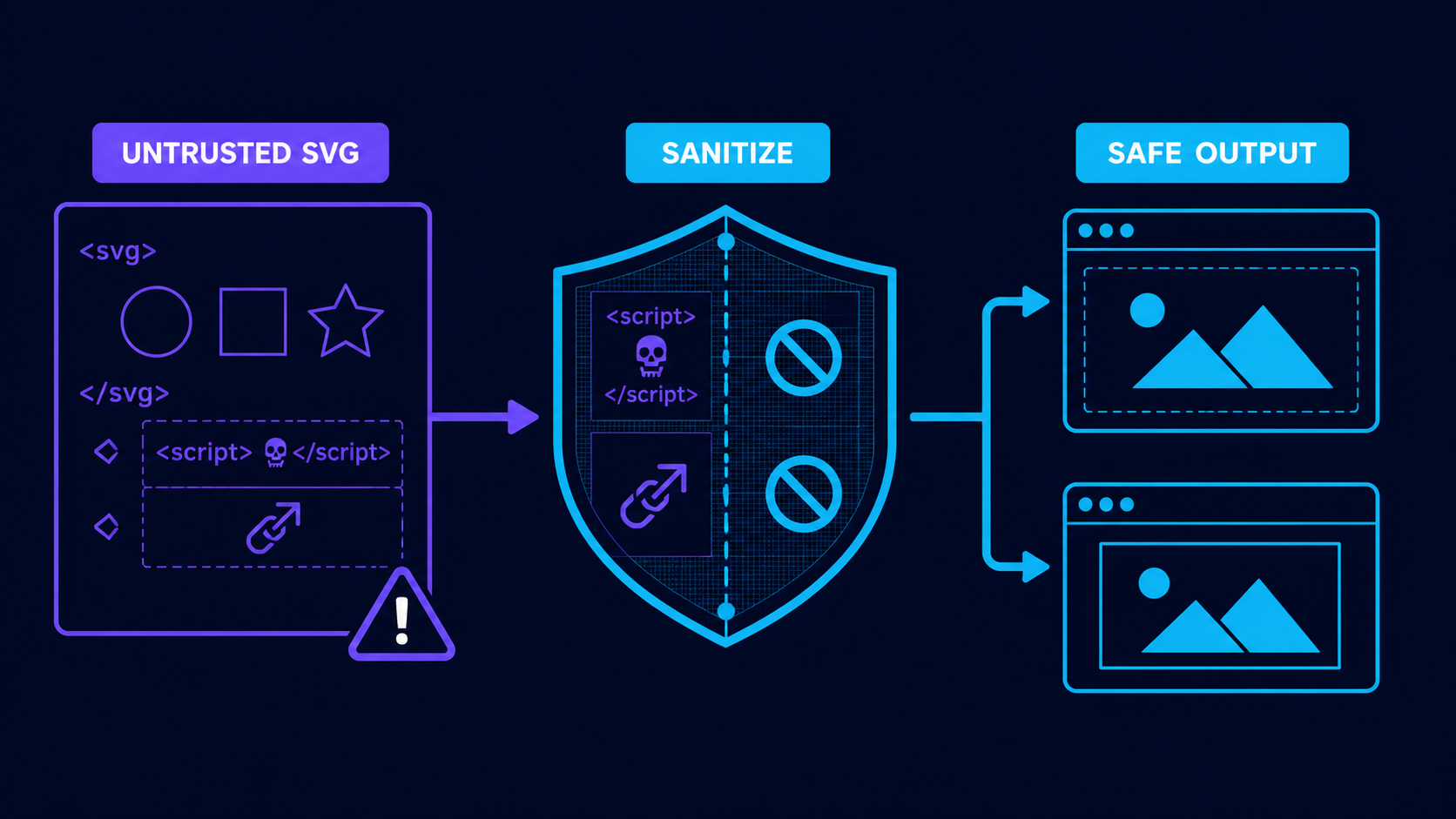
Fast rule: treat every untrusted SVG data URI as untrusted XML. Decode it, limit it, sanitize it, and only then place the cleaned result in an image context. Never paste user-controlled SVG data into innerHTML, srcdoc, a raw style string, or a navigable URL.
For encoding syntax and broken-color fixes, use the SVG data URI encoder guide. This guide focuses on the security boundary.
Can an SVG data URI execute JavaScript?
An SVG data URI can carry scripts, event attributes, embedded HTML, links, and external references. Whether a payload runs depends on whether the browser consumes it as an image, CSS resource, inline fragment, iframe, or document. Because those contexts grant different capabilities, sanitize before rendering instead of betting on one browser behavior.
SVG data URI security is the practice of treating encoded SVG as active document input until it has been decoded, parsed, sanitized, and placed in a restricted rendering context.
This is suspicious even though the angle brackets are hidden:
data:image/svg+xml,%3Csvg xmlns='http://www.w3.org/2000/svg'%3E%3Cscript%3E...%3C/script%3E%3C/svg%3E
%3C and %3E are only encoded < and >. The browser decodes them before use. The MDN data URL reference documents the format, while the OWASP XSS Prevention Cheat Sheet explains why defenses must match the output context.
Which SVG data URI contexts are safest?
A generated raster preview is the safest public display. A sanitized SVG loaded through <img> is the practical vector option. CSS images are appropriate for trusted decorative assets. Inline SVG, srcdoc, <object>, <embed>, and direct document navigation should never receive untrusted markup.
| Rendering context | Use for untrusted SVG? | Decision |
|---|---|---|
| Generated PNG/WebP | Yes | Best public default |
<img src="clean.svg"> | After sanitization | Good when vectors matter |
CSS background-image | Trusted or sanitized only | Decorative assets |
Inline SVG via innerHTML | No | Joins markup to page DOM |
<iframe srcdoc> | No | Creates an attacker-controlled document |
<object> or <embed> | Avoid | Grants unnecessary document behavior |
Sanitization is the durable control; the rendering context is defense in depth. For review tools, follow the SVG sandbox preview guide.
Does Base64 make an SVG data URI safe?
Base64 does not make SVG safe. It is reversible transport encoding, not sanitization, validation, encryption, or filtering. It can decode to the same scripts, event handlers, foreignObject, unsafe URLs, or XML hazards as readable URL-encoded SVG.
Reject unexpected media types, decode with strict size limits, and verify the decoded document. A prefix such as data:image/svg+xml is only a claim; it is not proof that the payload is valid or safe.
Is an SVG data URI safe in CSS background-image?
CSS background-image is a constrained image context and is preferable to injecting unknown SVG into the DOM. But the data URI does not become trusted because it sits inside CSS. Sanitize unknown SVG, keep Content Security Policy restrictions, and never construct raw style strings from user input.
Trusted fixed asset:
.status-ok {
  background-image: url("data:image/svg+xml,%3Csvg xmlns='http://www.w3.org/2000/svg' viewBox='0 0 16 16'%3E%3Cpath fill='%2316a34a' d='m3 8 3 3 7-7 1 1-8 8-4-4z'/%3E%3C/svg%3E");
}
Risky construction:
element.setAttribute("style", `background-image:url(${userValue})`);
The risky example places untrusted input in a CSS string and delegates URL parsing to the browser. Prefer a fixed class or a server-generated asset URL. Do not broadly allow data: in unrelated CSP directives just to make one icon work; see the SVG CSP headers guide.
How should I sanitize an SVG data URI?
Decode on the server, reject oversized or malformed input, parse with DTDs and external entities disabled, sanitize with an SVG-specific allowlist, and reserialize the clean document. Regular expressions and short denylists are not reliable XML sanitizers.
- Cap the encoded length before decoding.
- Allow
image/svg+xmlonly when SVG is expected. - Decode URL encoding or Base64 exactly once.
- Cap decoded bytes, node count, nesting, paths, and dimensions.
- Parse XML with DTDs, entities, and external loading disabled.
- Keep only approved SVG elements and attributes.
- Remove scripts,
foreignObject, events, unsafe namespaces, and URLs. - Reject or rewrite external references.
- Reserialize from the sanitized tree and store it separately.
- Generate a raster preview for public surfaces when practical.
- Serve with an explicit content type,
nosniff, and restrictive CSP.
The OWASP File Upload Cheat Sheet recommends layered validation, safe filenames, size limits, safe storage, and content inspection. For SVG-specific removal rules, use the SVG XSS sanitization guide.
What SVG features should the sanitizer remove?
Remove executable behavior, embedded documents, events, and remote-resource access. Most uploaded logos need paths, shapes, groups, fills, strokes, gradients, masks, and local fragments—not scripts, HTML, navigation, or remote URLs.
scriptand allon*event attributesforeignObjectand embedded HTMLjavascript:and unexpected URL schemes- external
href, CSSurl(), imports, fonts, and stylesheets - DTDs, entity declarations, and external entities
- unexpected namespaces and processing instructions
- oversized nested data URLs
- excessive nodes, nesting, filters, paths, or dimensions
Local values such as url(#gradient) may be needed. Preserve them only when the referenced ID exists inside the same clean document. The SVG external reference security guide explains the difference.
Should I allow users to paste SVG data URIs?
Allow them only when the feature genuinely needs them and the backend owns the full pipeline. For most logo uploaders, a normal file is easier to limit, inspect, store, scan, and explain.
- Encoded and decoded size limits exist.
- The server performs validation.
- Media type and decoded SVG root are verified.
- XML external features are disabled.
- An SVG-aware allowlist sanitizer is used.
- External references and events are removed.
- Original input never reaches
innerHTML,srcdoc, or a raw style string. - Clean output uses a generated filename and separate asset path.
- Public previews use raster output or sanitized
<img>. - CSP and
nosniffare tested on the final response.
If you only need a clean vector from a trusted image, create fresh output with Image to SVG, inspect it in the SVG Editor, and keep it as a normal file.
What is the best rule for SVG data URI security?
Encoding is not sanitization. Decode untrusted SVG on the server, enforce resource limits, sanitize with an allowlist, reserialize the clean tree, and render it as a raster preview or sanitized image. Never let the original data URI become page markup or a document.
FAQ
Can an SVG data URI execute JavaScript?
An SVG data URI can contain active markup, but execution depends on its rendering context. Sanitize untrusted SVG and never rely on context-specific script blocking as the only defense.
Does Base64 make an SVG data URI safe?
No. Base64 changes encoding but does not remove scripts, event handlers, foreignObject, unsafe links, or external references.
Is an SVG data URI safe in CSS background-image?
It is lower risk than inline SVG, but unknown SVG should still be sanitized because CSS encoding is not a security boundary.
Should I allow users to paste SVG data URIs?
Only if the server decodes, limits, parses, and sanitizes the SVG before storing or rendering it. Never pass the original string directly into HTML, CSS, or srcdoc.
What is the safest way to display an untrusted SVG?
Generate a PNG or WebP preview from a sanitized SVG. If vector output is required, serve the sanitized SVG through <img> with restrictive response headers.
Create your own SVG graphics with AI
Describe what you need, get a production-ready vector in seconds. No design skills required.
About This Article
This article was written by SVG Genie Team based on hands-on testing with SVG Genie’s tools and years of experience in vector design and web graphics. All recommendations reflect real-world usage and are reviewed by the SVG Genie editorial team for accuracy.
About the Author
SVG Genie Team
SVG Design Expert & Technical Writer at SVG Genie
SVG Genie Team is a vector design specialist and technical writer at SVG Genie with years of hands-on experience in SVG tooling, AI-assisted design workflows, and web graphics optimization. Their work focuses on making professional vector design accessible to everyone.
More articles by SVG Genie Teamarrow_forward