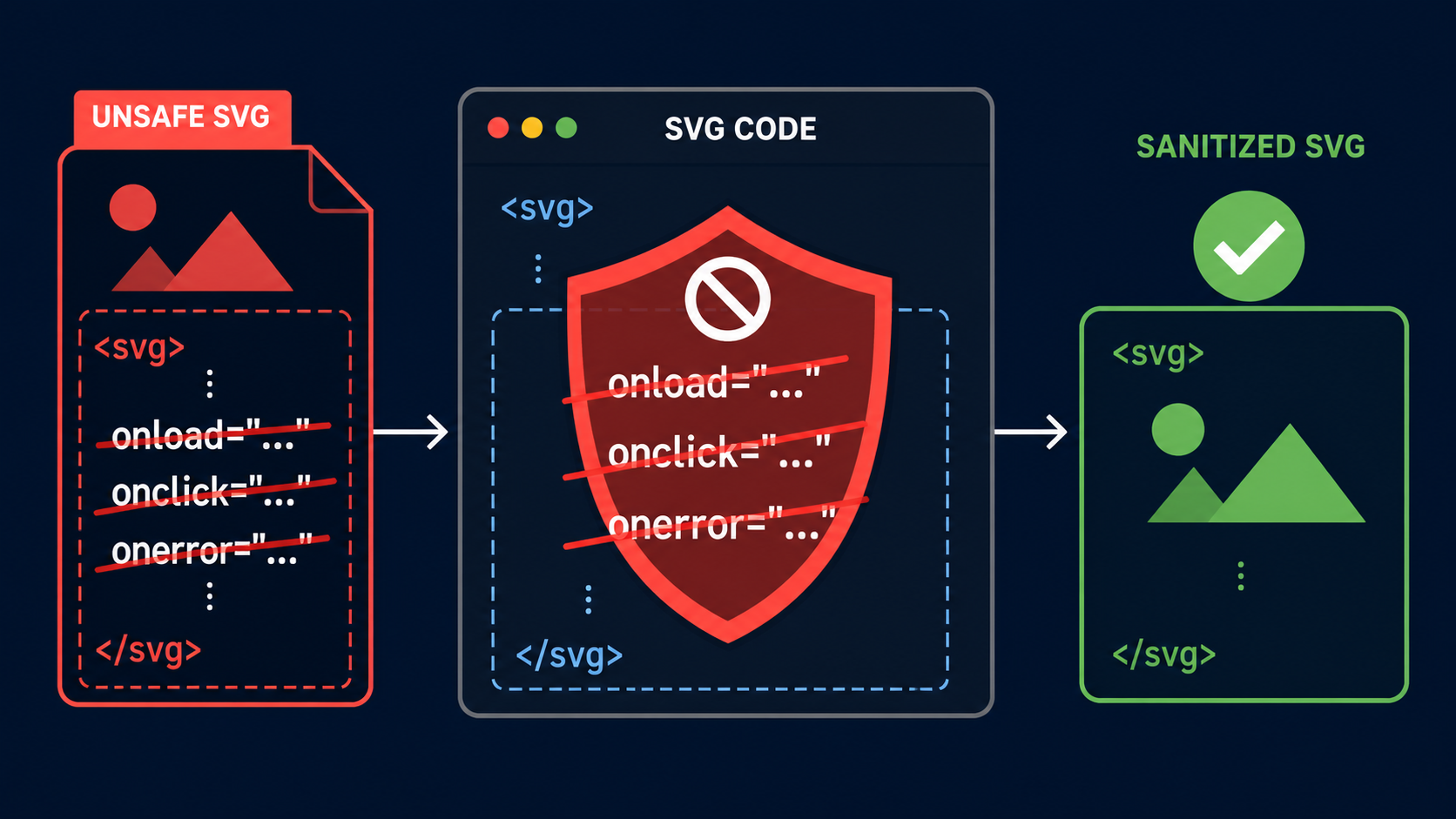
An SVG logo can look completely normal while carrying onload, onclick, or another event attribute that runs JavaScript. If that file is inserted inline, opened directly, or embedded in a permissive context, a harmless-looking image can become active page code.
Use this fast rule:
For every untrusted SVG, parse the XML and remove every attribute whose normalized name begins with on. Do not stop at onload, and do not rely on regex. Then apply a full SVG allowlist, validate URL-bearing attributes, and test the serialized output in an isolated page.
For the full intake workflow, use the SVG upload security checklist. If you only need a clean vector from a trusted raster source, convert the image to SVG instead of accepting unknown SVG markup.
Can an SVG event handler run JavaScript?
Yes. SVG supports event-handler attributes such as onload and onclick, and those attributes contain executable script. Whether the code runs depends on the browser, response headers, and embedding method, but an upload pipeline should treat all event handlers as active content rather than image metadata.
An SVG event handler is an XML attribute that asks the browser to execute code when a named event occurs. The event may fire automatically when the document loads, after a user interaction, when an animation starts, or when another supported condition occurs.
The obvious payload looks like this:
<svg xmlns="http://www.w3.org/2000/svg" onload="/* JavaScript here */">
  <circle cx="40" cy="40" r="32" fill="royalblue" />
</svg>
The circle is valid artwork. The onload attribute is active behavior. A visual review, thumbnail, or file-extension check can easily miss that difference.
MDN describes SVG as an XML-based format that integrates with CSS, the DOM, and JavaScript. The OWASP Cross Site Scripting Prevention Cheat Sheet warns that event-handler contexts require special treatment. The practical conclusion is simple: an SVG file is not equivalent to a passive PNG.
Which SVG event attributes should you remove?
Remove every attribute whose normalized local name starts with on, across every element in the document. This catches familiar handlers such as onload, onclick, and onerror as well as less obvious animation, pointer, focus, and timing events that a narrow blocklist may miss.
| Attribute pattern | When it may fire | Upload policy |
|---|---|---|
onload | When the SVG or element loads | Remove |
onclick, onpointerdown | After user interaction | Remove |
onmouseover, onfocus | Hover or keyboard focus | Remove |
onerror | When a resource fails | Remove |
onbegin, onend, onrepeat | During SVG animation timing | Remove |
Any normalized name beginning with on | Browser-supported event | Remove |
Do not build the policy around the handful of names you remember. Browser support evolves, SVG animation introduces events that HTML-focused filters may overlook, and mixed-case source markup can defeat naive string checks. If the product preserves SMIL or CSS motion, the SVG animation security guide covers safe targets, timing limits, and isolated previews.
A robust rule is shorter than a blocklist:
function removeEventAttributes(root) {
  for (const element of root.querySelectorAll("*")) {
    for (const attribute of [...element.attributes]) {
      if (attribute.localName.toLowerCase().startsWith("on")) {
        element.removeAttributeNode(attribute);
      }
    }
  }
}
This illustrates the rule; it is not a complete production sanitizer. Production code must also restrict elements, namespaces, CSS, and URLs.
Why is deleting script elements not enough?
Deleting <script> elements closes only one execution path. SVG can carry active or risky behavior through event attributes, javascript: URLs, embedded HTML in foreignObject, CSS, animation, and references to remote resources. Security comes from allowing a small known-safe SVG subset, not collecting an endless list of bad strings.
Consider the failure sequence:
- A filter removes every
<script>node. - The root
<svg>still contains anonloadattribute. - The cleaned file passes because the checker only searches for the word
script. - A later page inserts the SVG inline and the handler executes in that page's origin.
The correct unit of inspection is the parsed document: elements, attributes, namespaces, URL values, CSS declarations, and text content. For embedded HTML, see the SVG foreignObject security guide. For URLs that leave the document, see the SVG external-reference security guide.
What is the safest way to sanitize SVG event handlers?
Parse the SVG with an XML-aware parser, remove event attributes from every element, enforce an allowlist, validate all URL-bearing values, serialize the result, and parse it again for verification. Use a maintained sanitizer configured for SVG instead of inventing a production sanitizer from one code snippet.
Use this checklist:
- Parse as XML; reject malformed or oversized documents.
- Walk every element, including elements nested inside definitions and metadata.
- Normalize each attribute's local name before checking it.
- Remove all attributes beginning with
on, regardless of case. - Allow only the SVG elements and attributes your product actually needs.
- Reject
javascript:and unexpected URL schemes after decoding and normalization. - Restrict references to same-document fragments such as
url(#gradient)where possible. - Remove or tightly constrain
<style>, animation elements, andforeignObject; the SVG style element security guide explains how to parse CSS imports, properties, and URL values. - Serialize, parse again, and assert that forbidden constructs are absent.
- Apply resource, depth, and time limits to reduce parser abuse.
The DOMPurify documentation includes SVG support and configuration guidance. Its maintainers also warn that modifying sanitized markup afterward can undo protection. Pin and update your sanitizer, test its exact configuration, and avoid passing its output through a component that reconstructs unsafe attributes.
If your policy also needs to remove <script> elements, unsafe URL values, embedded HTML, and other executable paths, use the SVG JavaScript security guide as the full document-level checklist.
Should you use regex to remove SVG onload attributes?
No. Regex replacements are brittle around whitespace, quoting, character references, namespaces, mixed case, and malformed markup. XML parsing gives you normalized elements and attributes, making it possible to apply one consistent rule and reject documents that cannot be parsed safely.
A regex may miss unusual spacing or encoded characters. It may also corrupt valid artwork by matching text inside metadata, CSS, or path data. Worse, a replacement can produce a second parsing interpretation that differs from the one the filter expected.
| Situation | Best approach |
|---|---|
| Trusted SVG edited by your own team | Lint during build and review changes |
| User-uploaded SVG | Parse, allowlist, sanitize, reparse, isolate |
| You only need the visible pixels | Rasterize in a sandbox or accept PNG/WebP |
| You only need a new vector logo | Generate or trace a fresh SVG from trusted input |
| Sanitizer cannot preserve the art safely | Reject the file with a clear explanation |
Does the SVG embedding method change the risk?
Yes. Inline SVG shares the surrounding HTML document's DOM and is the highest-concern choice for untrusted markup. Direct navigation, object, embed, and iframe contexts have different scripting and origin behavior. An img element is generally more restrictive, but sanitization and safe response headers are still required.
Embedding restrictions are defense in depth, not permission to retain active content. Today's thumbnail may become tomorrow's inline icon. A user may download and open the file directly. A CDN may serve it with different headers. A content editor may copy its markup into a page.
For uploaded SVG that must remain downloadable:
- serve it from a separate, cookieless origin when practical;
- use
Content-Disposition: attachmentwhen inline display is unnecessary; - apply a restrictive Content Security Policy;
- send
X-Content-Type-Options: nosniff; - avoid reflecting user-controlled filenames into HTML;
- never grant the upload origin access to application secrets or authenticated APIs.
The SVG Content Security Policy guide shows how headers complement sanitization. CSP can limit damage, but it should not be your only control because policies change and files travel.
How do you verify that SVG event handlers are gone?
Test both the document structure and browser behavior. A structural test should fail if any parsed attribute begins with on; an integration test should render the sanitized output in isolation and watch for script effects, console output, DOM mutations, dialogs, navigation, and network requests.
Add these cases to your automated test suite:
<svg onload="test()"></svg>
<svg ONLOAD="test()"></svg>
<circle onclick="test()" />
<animate onbegin="test()" attributeName="x" />
<image onerror="test()" href="missing.png" />
For each fixture, confirm that the sanitizer either rejects the file or returns SVG with no event attributes. Then reparse the returned string and inspect the parsed attribute names—not merely the raw text.
Keep valid regression files containing gradients, masks, clipping paths, symbols, and accessibility attributes. A sanitizer that destroys ordinary artwork will be bypassed by frustrated users or quietly disabled.
What is the fastest safe decision for an SVG upload?
If you control the source and need editable vectors, sanitize with a maintained SVG-aware library and an explicit allowlist. If you do not need editable markup, rasterize in an isolated service. If neither path is available, reject the SVG rather than rendering unknown XML in your application origin.
- Need editable SVG? Sanitize, validate, and isolate it.
- Need only the appearance? Convert it to a passive raster format.
- Need a clean vector from an image? Use SVG Genie's image-to-SVG converter and review the generated output.
- Cannot inspect the file? Do not render it as trusted content.
Removing event handlers is a mandatory layer, not the finish line. Combine it with an SVG allowlist, URL validation, safe delivery, strict headers, and regression tests. That gives users vector flexibility without treating executable XML as an ordinary image.
Frequently asked questions
Can an SVG onload attribute run JavaScript?
Yes. SVG is active XML markup, and onload can execute script when the rendering context permits it. Sanitize untrusted SVG before storing or rendering it.
Which SVG event attributes should an upload sanitizer remove?
Remove every attribute whose normalized local name begins with on, including onload, onclick, onerror, onbegin, and onend. Apply the rule to every element after parsing as XML.
Is removing the script element enough to make SVG safe?
No. Event attributes, dangerous URLs, CSS, foreignObject, animation, and external references can remain. Use a positive allowlist and validate the whole parsed document.
Does an img element make an unsafe SVG harmless?
It usually restricts scripting more than inline SVG, but it does not make sanitization optional. The same file can be opened directly or reused in a less restrictive context later.
How do I test that SVG event handlers were removed?
Reparse the sanitized output and fail if any attribute name starts with on. Then render it in an isolated test page with strict CSP while monitoring script effects and network requests.
Create your own SVG graphics with AI
Describe what you need, get a production-ready vector in seconds. No design skills required.
About This Article
This article was written by SVG Genie Team based on hands-on testing with SVG Genie’s tools and years of experience in vector design and web graphics. All recommendations reflect real-world usage and are reviewed by the SVG Genie editorial team for accuracy.
About the Author
SVG Genie Team
SVG Design Expert & Technical Writer at SVG Genie
SVG Genie Team is a vector design specialist and technical writer at SVG Genie with years of hands-on experience in SVG tooling, AI-assisted design workflows, and web graphics optimization. Their work focuses on making professional vector design accessible to everyone.
More articles by SVG Genie Teamarrow_forward