An animated SVG can look like a harmless loading icon while carrying far more behavior than you intended to accept. A file may animate hundreds of nodes forever, change link or URL-bearing attributes, load remote resources, or hide risky markup behind an ordinary preview. The result can be data leakage, browser jank, or an XSS path when sanitization is incomplete.
Use this fast rule:
If user uploads do not need motion, remove SVG animation elements and CSS animation. If motion is required, allow only a documented subset, freeze which attributes may change, block external references and event handlers, cap runtime complexity, and preview only the sanitized output.
Start with the broader SVG XSS sanitization guide for the full intake pipeline. If your goal is to create a clean vector from a trusted image rather than preserve unknown active markup, use Image to SVG.
Can SVG animation create a security risk?
Yes. SVG animation can change document attributes over time and can coexist with scripts, event handlers, links, CSS, and external references. Animation is not automatically malicious, but it expands the states a sanitizer and reviewer must understand. Untrusted animated SVG should never be rendered directly just because its first frame looks safe.
SVG animation security is the practice of restricting motion features, animated attributes, references, timing, and rendering cost before an SVG is displayed or shared. It includes SMIL elements such as <animate>, <animateTransform>, <animateMotion>, and <set>, plus CSS animations and transitions.
This innocent example changes opacity forever:
<svg xmlns="http://www.w3.org/2000/svg" viewBox="0 0 100 100">
  <circle cx="50" cy="50" r="30" fill="#2563eb">
    <animate attributeName="opacity" values="1;.25;1" dur="1s" repeatCount="indefinite" />
  </circle>
</svg>
That motion may be acceptable. The problem is treating every animated attribute, timing expression, reference, and sibling element as equally harmless. MDN documents the animate element and its ability to change an attribute over time. OWASP recommends positive allowlists for untrusted markup in its Cross Site Scripting Prevention Cheat Sheet.
Which SVG animation features should you allow or remove?
Allow only the animation elements and attributes needed by your product. Simple changes to opacity, transform, or a numeric presentation value are easier to constrain than animation of links, resource references, arbitrary strings, or complex paths. Remove unknown timing syntax, external references, event attributes, and unsupported animation features.
| Feature | Main concern | Safe default |
|---|---|---|
animate on opacity or numeric geometry | Excessive timing or values | Allow only with numeric bounds |
animateTransform | Large or rapid transforms | Allow with type and range limits |
animateMotion | Complex paths and reference chains | Remove unless required |
set | Instant attribute changes | Allow only for harmless presentation attributes |
begin="click" or event timing | Hidden interaction and state changes | Remove from public uploads |
repeatCount="indefinite" | Continuous CPU/GPU use | Replace or cap unless essential |
CSS @keyframes | Parser, selector, URL, and complexity surface | Remove or strictly parse and allowlist |
Animation of href or URL-bearing values | Navigation or resource changes | Reject |
The safest policy is not “support SVG animation.” It is “support these three motion primitives on these six numeric attributes within these limits.” Everything outside that sentence should fail closed.
Is CSS animation safer than SMIL animation?
No. CSS and SMIL expose different risks, but neither deserves blanket trust. CSS brings selectors, imports, custom properties, functions, and URL values. SMIL brings timing graphs, synchronization, attribute mutation, and reference relationships. Choose the smallest subset your parser and tests can enforce consistently.
For CSS animation, parse the stylesheet and reject:
@importand every externalurl(...);- unknown at-rules and properties;
- animation of URL-bearing or security-sensitive properties;
- excessive keyframes, selectors, durations, delays, and iteration counts;
- syntax your server-side parser cannot normalize confidently.
The SVG style element security guide explains how to handle embedded styles, imports, and URL loads. When files use DOM event attributes to start or control motion, follow the SVG event-handler security guide too.
Animated blur, displacement, or lighting needs another policy layer: the SVG filter security guide explains how to restrict filter primitives, image inputs, regions, and render cost.
How do you sanitize an animated SVG safely?
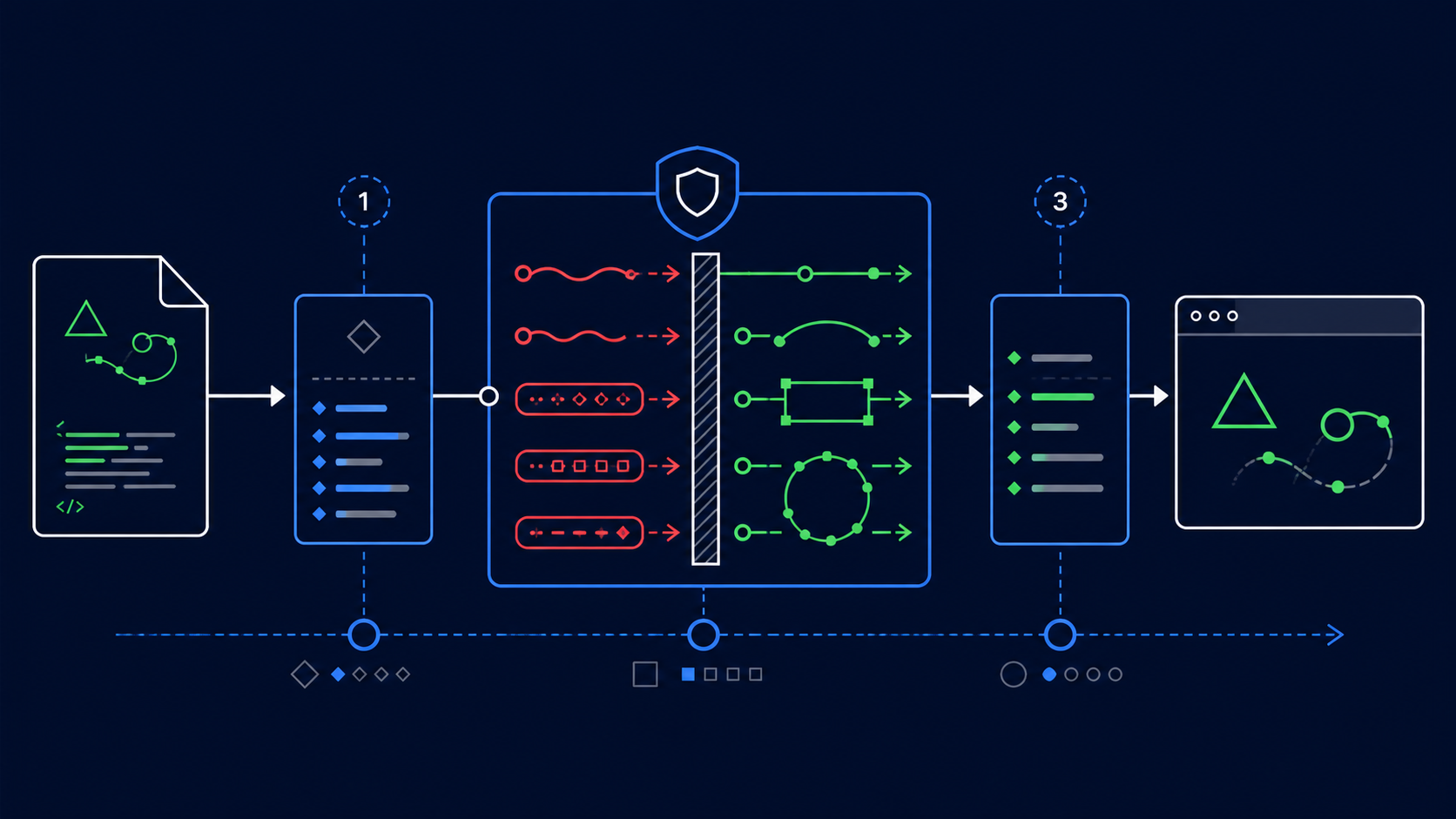
Parse the file as XML with dangerous document features disabled, apply a strict SVG element and attribute allowlist, then validate animation as a separate policy layer. Check every animated target, attribute, value, reference, and timing expression. Serialize the result, parse it again, and test only the cleaned document.
Use this order:
- Reject files that exceed byte, node, depth, path-data, or attribute limits.
- Parse XML with DTD and external entity processing disabled.
- Remove scripts, event attributes, unsafe links, and forbidden embedded content.
- Remove animation entirely unless the upload flow promises to preserve it.
- If animation is supported, allowlist elements such as
animateandanimateTransformindividually. - Allowlist
attributeNamevalues; never accept arbitrary attribute mutation. - Parse numeric values, units, key times, splines, durations, delays, and repeat counts against explicit bounds.
- Reject external URLs and validate every local
#fragmenttarget after ID rewriting. - Limit the number of animated nodes and the total keyframe or path complexity.
- Serialize, reparse, and assert that the output still satisfies the policy.
Use a maintained sanitizer configured for SVG rather than a regex replacement. DOMPurify supports SVG, but configuration matters, and modifying markup after sanitization can undo the protection. A general sanitizer may also preserve or remove animation differently than your product expects, so add explicit post-sanitization assertions.
How should you preview an unknown animated SVG?
Do not insert the original file into your application DOM. Sanitize it first, then preview the cleaned copy on an isolated origin inside a sandboxed frame with network access blocked and restrictive response headers. If the reviewer only needs appearance, rasterize the SVG server-side and show pixels instead of active markup.
Choose by job:
- Avatar, marketplace thumbnail, or comment upload: strip animation and rasterize.
- Logo editor: strip animation unless motion is a documented export feature.
- Animation library: preserve a narrow motion subset and provide a sanitized playback preview.
- Developer inspection tool: show escaped source beside an isolated render; never place raw source into HTML.
- Unparseable or policy-breaking file: reject it with a useful error.
The SVG sandbox preview guide covers isolation in more detail. A strict SVG Content Security Policy is valuable defense in depth, but CSP does not replace sanitization.
How do you prevent animated SVG performance attacks?
Enforce structural and time budgets before rendering. Limit nodes, animated targets, keyframes, motion paths, filter regions, repeats, and duration ranges. Reject animation that runs indefinitely when the use case does not need it, and stop previews that exceed browser CPU, memory, or frame-time thresholds.
A practical starting policy is:
- no more than 20 animated targets per uploaded icon;
- no more than 20 values or keyframes per animation;
- no event-based or wall-clock timing expressions;
- a minimum duration that prevents ultra-fast loops;
- a maximum preview duration, even when the source repeats forever;
- no animated filters, masks, clipping paths, or path data unless explicitly supported;
- bounded transforms and geometry so objects cannot create enormous paint areas;
- server and browser timeouts for parsing, sanitizing, rasterizing, and previewing.
These numbers are starting points, not universal standards. Measure representative customer files, then set the smallest limits that preserve legitimate work. Keep the SVG optimizer after security validation—not before it—because optimization is not sanitization.
How do you test SVG animation security?
Test both the serialized structure and real browser behavior. Static assertions should prove forbidden elements, attributes, URLs, timing expressions, and excessive values are gone. Browser tests should confirm that accepted files make no network requests, trigger no navigation or script-visible effects, and stay within performance budgets.
Build fixtures for:
- each allowed animation element and attribute;
- animation of
href, URL values, and unsupported string attributes; beginvalues tied to clicks, loads, or other events;- external and missing fragment references;
- zero, negative, enormous, malformed, and indefinite durations;
- huge value lists, motion paths, filter regions, and nested targets;
- CSS keyframes with imports, URLs, custom properties, and escaped tokens;
- animation combined with scripts, event handlers, links, styles, and
foreignObject; - normal exports from the tools your users actually upload.
Monitor network requests, navigation, console output, DOM mutation, memory, CPU time, and frame rate. Also compare screenshots so the safe policy does not silently destroy every valid animation.
What is the fastest safe policy for animated SVG uploads?
Strip all animation for ordinary uploads. For a product that genuinely needs motion, preserve only numeric opacity and transform animation with finite timing, bounded values, no events, no external references, and strict complexity limits. Always render a sanitized copy in isolation and let users approve the result.
Launch with this checklist:
- XML parsing disables DTDs and external entities.
- Scripts, event attributes, links, embedded HTML, and external resources are removed.
- Animation is stripped unless the product explicitly supports it.
- Supported elements, targets, attributes, values, and timing syntax are allowlisted.
- URL-bearing and navigation-related attributes cannot be animated.
- Durations, repeats, nodes, keyframes, paths, and filter costs are capped.
- Sanitized output is serialized, reparsed, and structurally asserted.
- Browser preview runs on an isolated origin without network access.
- Security and visual regression fixtures run on every policy change.
That gives users a predictable promise: useful motion survives, but an uploaded illustration cannot quietly become an open-ended program.
Frequently asked questions
Can an animated SVG contain malicious code?
Yes. Animation may coexist with script, event, link, CSS, and external-resource features. Sanitize the complete SVG document before rendering it.
Should an SVG sanitizer remove animate elements?
Remove them by default when motion is unnecessary. Otherwise, allow only specific elements and numeric attributes within strict timing and complexity limits.
Is CSS animation safer than SMIL animation in SVG?
No. CSS and SMIL have different attack surfaces. The safer choice is whichever narrow subset your system can parse, validate, isolate, and regression-test reliably.
How can I preview an unknown animated SVG safely?
Sanitize first and show only the cleaned result in a sandboxed, isolated environment with network access blocked. Rasterize when motion is not needed.
How do I stop an SVG animation from consuming too much CPU?
Cap file complexity, animated targets, keyframes, path data, durations, repeats, and filter costs. Enforce browser time and memory budgets during preview.
Create your own SVG graphics with AI
Describe what you need, get a production-ready vector in seconds. No design skills required.
About This Article
This article was written by SVG Genie Team based on hands-on testing with SVG Genie’s tools and years of experience in vector design and web graphics. All recommendations reflect real-world usage and are reviewed by the SVG Genie editorial team for accuracy.
About the Author
SVG Genie Team
SVG Design Expert & Technical Writer at SVG Genie
SVG Genie Team is a vector design specialist and technical writer at SVG Genie with years of hands-on experience in SVG tooling, AI-assisted design workflows, and web graphics optimization. Their work focuses on making professional vector design accessible to everyone.
More articles by SVG Genie Teamarrow_forward