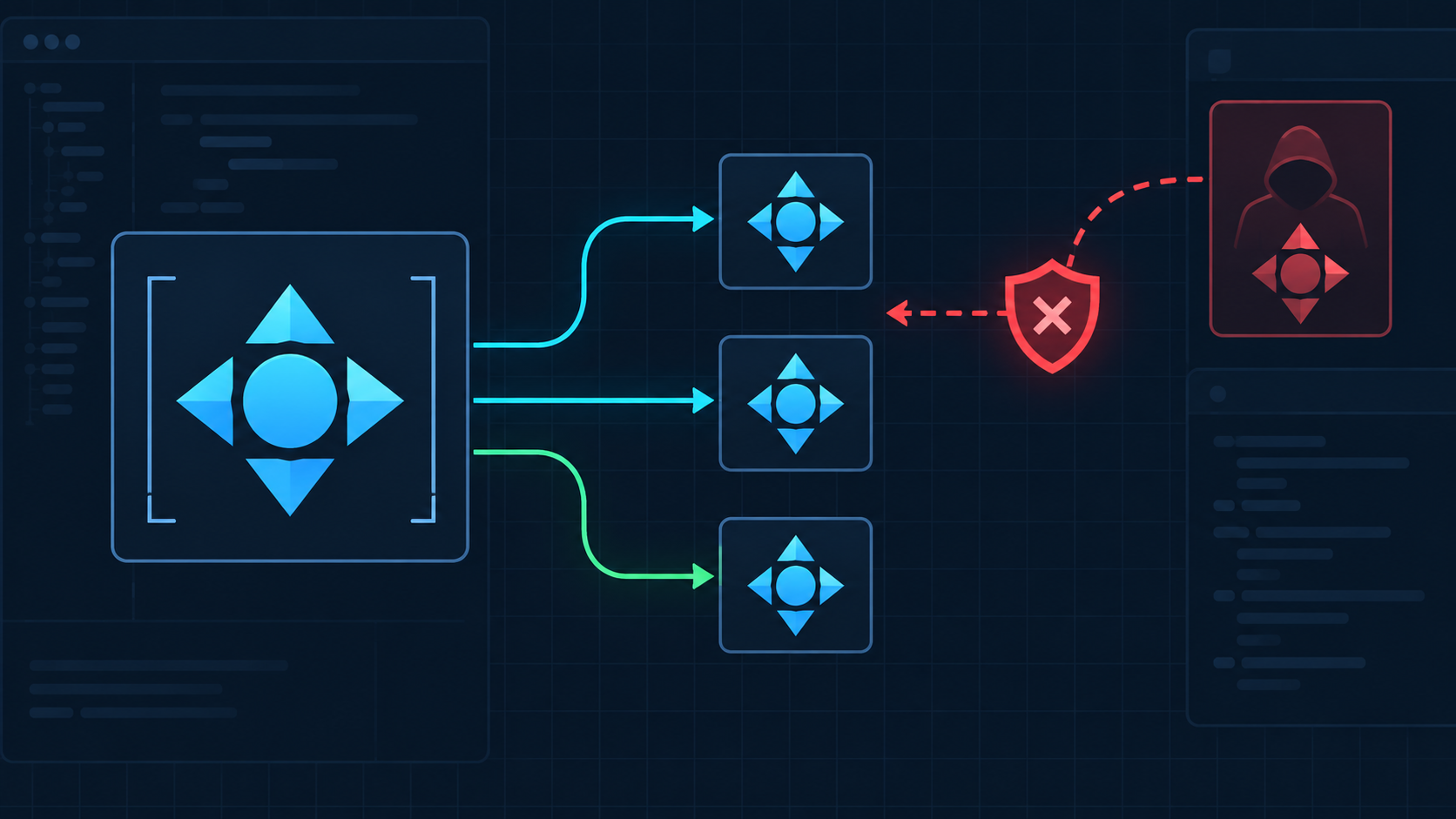
An uploaded icon looks tiny and harmless, yet one <use> node can reproduce a much larger hidden subtree or point outside the file. If your sanitizer checks only the visible <use> tag, it may miss the content that actually gets rendered.
Use this fast rule:
For untrusted SVG, allow <use> only when href is a same-document fragment, the target is an approved <symbol> or graphics group, every cloned descendant has already been sanitized, and the reference graph stays below strict depth and count limits.
That preserves normal icon sprites without giving an upload permission to clone active, external, cyclic, or unexpectedly expensive content. Start with the broader SVG upload security checklist if you are designing the whole intake pipeline.
What does the SVG use element do?
The SVG <use> element is a reuse instruction: it references another SVG element and renders a cloned instance of that referenced content. Designers use it to repeat icons, symbols, and shapes without duplicating the complete markup every time.
A normal local sprite looks like this:
<svg xmlns="http://www.w3.org/2000/svg" viewBox="0 0 120 40">
  <defs>
    <symbol id="check" viewBox="0 0 24 24">
      <path d="M5 12l4 4L19 6" fill="none" stroke="currentColor" />
    </symbol>
  </defs>
  <use href="#check" x="0" width="24" height="24" />
  <use href="#check" x="40" width="24" height="24" />
</svg>
The short <use> nodes do not contain the path themselves. They point to #check, so a security review must inspect the referenced symbol and its descendants—not just the two visible instances. MDN's <use> reference describes the element as duplicating nodes within an SVG document.
Why can use create an SVG security problem?
The <use> element creates indirection. A scanner may approve a small reference while overlooking a forbidden node, external URL, duplicate target, reference cycle, or oversized clone graph behind it. The danger is not reuse itself; it is resolving untrusted references without a complete policy.
Four failure modes matter most:
- Hidden active content. A referenced group may contain event attributes, scripts, embedded HTML, or URL-bearing descendants that a shallow check never visits.
- External-document loading. An
hrefcan point to another document and fragment rather than to a local ID. - Ambiguous IDs. Duplicate IDs can make validation and browser resolution disagree about which node is the real target.
- Clone amplification. Many instances, deep nesting, or cycles can multiply rendering and parsing work beyond the apparent size of the file.
OWASP recommends sanitizing untrusted HTML-like content with context-aware rules instead of relying on string filtering in its Cross Site Scripting Prevention Cheat Sheet. Apply that principle to SVG: parse the XML, sanitize the complete element tree, then resolve references under an explicit allowlist.
Which use references should a sanitizer allow?
For a logo, icon, or illustration upload, allow only a syntactically valid same-document fragment such as href="#check". Reject full URLs, relative paths, protocol-relative URLs, executable schemes, data URLs, and missing or ambiguous targets.
| Reference | Example | Upload policy | Reason |
|---|---|---|---|
| Local fragment | #check | Allow after target validation | Stays inside the sanitized document |
| External SVG fragment | /icons.svg#check | Reject | Loads or depends on another document |
| Network URL | https://cdn.example/icon.svg#check | Reject | Creates a remote dependency |
| Protocol-relative URL | //host/icon.svg#check | Reject | Still selects a network host |
| Dangerous scheme | javascript:... | Reject | Not valid artwork data |
| Missing or duplicate target | #unknown | Reject | Resolution is broken or ambiguous |
Treat legacy xlink:href exactly like href. Normalize to one internal representation before applying policy, and reject conflicting values rather than guessing which one the renderer will prefer. The SVG external reference security guide covers the document-wide URL checks that should run alongside this rule.
For element-by-element allowlists, URL-scheme handling, and conflicting legacy attributes, use the SVG link security guide.
How should you validate the referenced symbol?
Sanitize the full parsed SVG first, build a map of unique IDs second, and resolve each permitted <use> reference last. The referenced node and every descendant must satisfy the same element, attribute, CSS, namespace, and URL rules as ordinary visible content.
Use this order:
- Parse XML with DTD and external entity processing disabled.
- Remove scripts, event attributes,
<foreignObject>, unsupported namespaces, and disallowed URL-bearing features. - Reject duplicate IDs and malformed identifiers.
- Build an ID-to-element map from the sanitized tree.
- Require each
<use>value to match a local fragment policy. - Require its target to be an allowed
<symbol>,<g>, or approved graphics element. - Walk the complete referenced subtree, including nested
<use>nodes. - Reject cycles and enforce limits on depth, instances, nodes, dimensions, and total render cost.
- Render the result in an isolated preview and confirm it makes no network requests.
Do not sanitize a detached <use> node and later reconnect it to the original unsanitized document. Reference resolution must happen against the cleaned tree. If namespace tricks could change how nodes are interpreted, apply the checks in the SVG namespace security guide.
How do you stop nested use cycles and clone amplification?
Model <use> references as a directed graph and traverse it with both a visited stack and hard budgets. Reject a reference when it returns to a node already on the active stack, exceeds maximum depth, or pushes the expanded instance count beyond your product's limit.
Conceptually:
expand(target, activeStack, budget):
  if target is in activeStack: reject cycle
  if activeStack.depth >= MAX_DEPTH: reject
  if budget.instances >= MAX_INSTANCES: reject

  validate target and descendants
  for each nested local use reference:
    expand(resolvedTarget, activeStack + target, budget + 1)
Choose limits from real files your product accepts, then test hostile cases just above each boundary. A small source file is not automatically cheap to render if references repeatedly clone complex filters, masks, or geometry. The SVG filter security guide explains why filter work needs a separate cost budget.
Should you remove use or flatten the SVG?
Keep <use> when compact, editable sprites matter and you control the entire pipeline. Flatten instances when downstream software handles references poorly, a standalone asset is more important than editability, or your sanitizer cannot safely preserve the reference graph.
| Situation | Better choice |
|---|---|
| Trusted first-party icon system | Keep local <use> references |
| Untrusted upload with a mature sanitizer | Keep only validated local references |
| Email, print, or inconsistent import software | Flatten to standalone geometry |
| External sprite dependency | Import and sanitize, or flatten |
| Cyclic, ambiguous, or oversized graph | Reject the file |
Flattening is a compatibility transformation, not proof of safety. Run it only in a trusted tool, then sanitize and inspect the exported result again. If you need a clean self-contained vector, open the source in the SVG Editor, remove unexpected content, and export a reviewed copy.
What is the fastest safe implementation checklist?
The shortest defensible policy is: sanitize all SVG nodes, permit only local fragment references, require unique allowed targets, walk every referenced descendant, reject cycles, cap expansion, and verify the cleaned file in an isolated no-network preview.
- Parse XML; never validate SVG with regex alone.
- Disable DTD and external entity processing.
- Remove active content before resolving
<use>. - Handle
hrefandxlink:hrefunder one rule. - Allow only same-document fragments.
- Reject duplicate IDs and missing targets.
- Validate every descendant of every referenced target.
- Detect nested-reference cycles.
- Cap clone depth, instance count, nodes, dimensions, and filter cost.
- Require zero network requests during isolated preview.
- Rasterize previews when the original SVG does not need to stay interactive.
For active attributes that can hide inside a referenced subtree, use the SVG event handler security guide. Together, these checks close the gap between the small node your scanner sees and the full content the browser renders.
FAQ
Is the SVG use element safe?
The <use> element is safe for trusted, same-document symbols, but untrusted files still need sanitization. Restrict href to a local fragment, validate the referenced element, remove active content first, and cap clone depth and count.
Can SVG use reference another file?
Yes, SVG <use> can reference a fragment in another SVG document in some rendering contexts. For untrusted uploads, reject external-document references and allow only validated fragments such as href="#icon".
Should an SVG sanitizer remove every use element?
Not necessarily. Removing every <use> element can break legitimate icon sprites. A strict sanitizer can keep it when it points to an allowed local symbol or group and the referenced subtree has already passed the same element and attribute rules.
Can use bring back content that a sanitizer removed?
A correct sanitizer removes forbidden nodes from the parsed document before resolving references. It should then reject missing targets, duplicate IDs, targets outside the allowlist, cycles, and references that exceed complexity limits.
How do I convert use elements into normal SVG paths?
Use a trusted SVG editor or flattening tool to expand each instance, apply its transforms, and export standalone geometry. Inspect the result because flattening can change IDs, styles, accessibility labels, and file size.
Create your own SVG graphics with AI
Describe what you need, get a production-ready vector in seconds. No design skills required.
About This Article
This article was written by SVG Genie Team based on hands-on testing with SVG Genie’s tools and years of experience in vector design and web graphics. All recommendations reflect real-world usage and are reviewed by the SVG Genie editorial team for accuracy.
About the Author
SVG Genie Team
SVG Design Expert & Technical Writer at SVG Genie
SVG Genie Team is a vector design specialist and technical writer at SVG Genie with years of hands-on experience in SVG tooling, AI-assisted design workflows, and web graphics optimization. Their work focuses on making professional vector design accessible to everyone.
More articles by SVG Genie Teamarrow_forward