A logo upload can look like ordinary paths while hiding a clickable link, remote fetch, or legacy xlink:href value. If your sanitizer checks only <script>, that URL can survive and behave differently when the SVG is opened directly, embedded inline, or processed by another tool.
Use this fast rule:
For untrusted SVG artwork, allow only the URL forms each element genuinely needs. Keep local fragments only after resolving their targets, remove external links by default, inspect both href and xlink:href, and reject conflicting values.
That policy is easier to audit than a blacklist of suspicious strings. For a complete upload pipeline, pair it with the SVG upload security checklist.
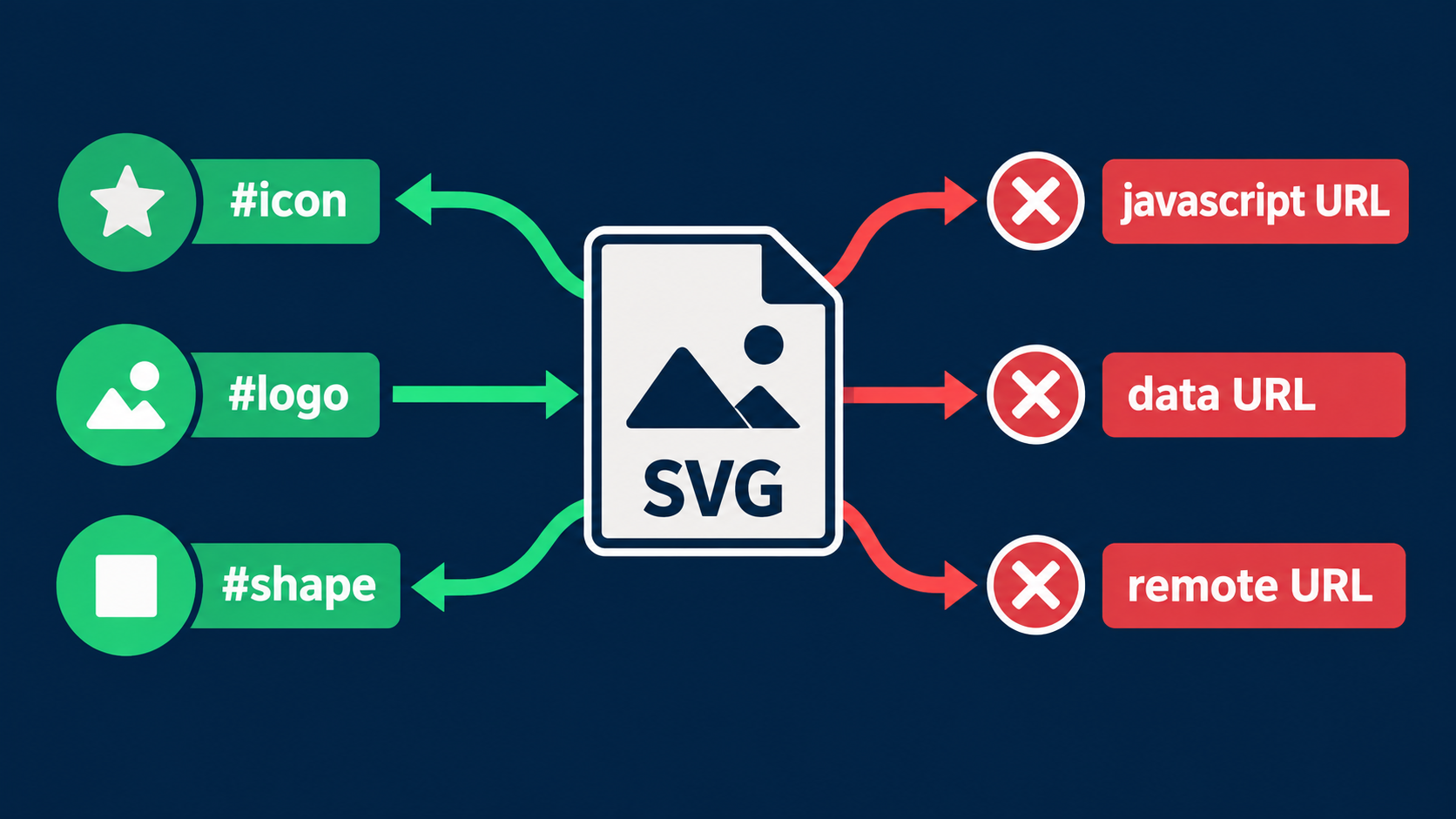
What is SVG link security?
SVG link security is the practice of validating every URL-bearing SVG attribute according to the element, rendering context, and destination it controls. It covers clickable anchors, reused symbols, images, filters, gradients, masks, animations, styles, and other features that can refer to local IDs or external resources.
The important distinction is that href does not mean one universal thing. On an <a> element it can navigate a user. On <use> it can identify reusable graphics. On <image> it can load image data. A safe value for one context may be unnecessary or dangerous in another.
MDN's href attribute reference lists the SVG elements that accept the attribute and explains that its meaning depends on the element. Build rules per element instead of running one loose URL regex across the file.
Which SVG elements can carry links or references?
The main URL-bearing elements include <a>, <use>, <image>, animation elements, and several paint or resource elements. CSS declarations can introduce more URLs through url(...), so attribute checks alone are not a complete sanitizer.
| Context | Typical value | Safest upload default | Why |
|---|---|---|---|
<a href> | Web destination | Remove, or allow HTTPS under policy | Can navigate the viewer |
<use href> | #icon | Allow validated local fragment only | Clones referenced SVG content |
<image href> | Data or remote image | Remove or rewrite to trusted local asset | Can embed or fetch another resource |
<linearGradient href> | #baseGradient | Allow validated local fragment only | Inherits paint-server attributes |
<filter>, <mask>, <clipPath> references | url(#effect) | Allow validated local fragment only | Changes rendering through another node |
| Animation target reference | #shape | Remove animation or validate target | Can alter properties over time |
CSS url(...) | Fragment, data, or remote URL | Parse CSS; allow local fragments only | Bypasses attribute-only checks |
For general-purpose logos and icons, local fragment references usually provide everything the artwork needs. Removing navigation and network access reduces both security risk and confusing external dependencies.
How should href and xlink:href be handled?
Read both attributes, normalize them into one internal value, and reject the element if they disagree. Modern SVG uses href; xlink:href is legacy, but older design applications and existing assets still produce it.
MDN marks xlink:href as deprecated and recommends href, while also documenting compatibility behavior.
Use this sequence:
- Parse the file as XML with DTD and external entities disabled.
- Read
hrefand the correctly namespacedxlink:hrefattribute from the parsed node. - Decode XML character references as part of parsing, not with ad hoc replacements.
- Trim surrounding ASCII whitespace and reject control characters.
- If both attributes exist and differ after normalization, reject the node.
- Apply an element-specific fragment or URL policy.
- Rewrite an allowed legacy value to
hrefin the clean output.
Do not search raw text for javascript: and call the job finished. Entity encoding, mixed whitespace, namespaces, CSS, and parser repairs can all create differences between what a substring check sees and what the renderer interprets.
Which href values should an SVG sanitizer allow?
For untrusted image uploads, use a small allowlist: approved local fragments for reference elements and no link destination for everything else. Add normalized HTTPS URLs only when clickable outbound links are an explicit product requirement.
| Value shape | Example | Recommended decision |
|---|---|---|
| Same-document fragment | #logo-mark | Allow after target validation |
| Relative file | icons.svg#mark | Reject for self-contained uploads |
| HTTPS URL | https://example.com/ | Reject by default; allow only under an explicit link policy |
| Protocol-relative URL | //example.com/file.svg | Reject |
| Data URL | data:image/svg+xml,... | Reject for untrusted SVG |
| Executable or unknown scheme | javascript:... | Reject |
| Empty, malformed, or control-character value | varies | Reject or remove |
If your product must preserve clickable links, parse the destination with a standards-compliant URL parser, require https:, compare the normalized hostname against an allowlist when appropriate, and add rel="noopener noreferrer" for links that open a new browsing context. OWASP's Unvalidated Redirects and Forwards Cheat Sheet recommends allowlisting trusted destinations rather than relying on user-controlled redirect targets.
Why are local fragment links not automatically safe?
A fragment such as #icon stays inside the document, but the target can still be missing, duplicated, unsupported, or connected to content your sanitizer failed to inspect. Safety depends on both the reference string and the resolved target.
For every allowed fragment:
- require a conservative ID syntax;
- build the ID map from the sanitized tree;
- reject duplicate IDs;
- require exactly one matching target;
- allow only target types appropriate to the source element;
- inspect the target and all descendants;
- detect cycles in nested references;
- cap reference depth and expanded rendering cost.
The dedicated <use> security guide explains clone graphs and nested symbol limits. Apply the same principle to gradients, masks, filters, and clip paths: validate what the reference resolves to, not merely the fact that it begins with #.
How do rendering contexts change SVG link risk?
The same file can have different capabilities when displayed as an image, opened as its own document, inserted inline into HTML, or processed by server-side software. Sanitization must assume the most capable context in which your product or a downstream user may place the file.
An <img src="asset.svg"> boundary can restrict behaviors that an inline <svg> does not. But users may download the asset and open it directly, a CMS may inline it for styling, or an optimization tool may transform the markup. Treat browser containment as defense in depth, not a substitute for cleaning the source.
Use an isolated, no-network preview while reviewing untrusted files. The SVG sandbox preview guide shows how to separate inspection from the main application origin. If the asset does not need to remain interactive, a rasterized preview is the simpler choice.
What is a practical href validation algorithm?
A practical validator first classifies the element and attribute, then classifies the parsed destination. It never gives every href the permissions of the most flexible use case.
validateReference(element, href, xlinkHref):
  value = normalizeAndReconcile(href, xlinkHref)
  if value is invalid or conflicting: reject

  policy = policyFor(element)

  if value starts with "#":
    if policy does not allow fragments: reject
    target = resolveUniqueSanitizedId(value)
    if target is not allowed for element: reject
    validateReferenceGraph(target)
    return keepAsHref(value)

  if policy allows externalNavigation:
    url = parseAbsoluteUrl(value)
    if url.scheme != "https": reject
    if url.host is not allowed: reject
    return keepNormalized(url)

  reject
Keep the output deterministic. Remove unused namespace declarations, serialize allowed legacy references as href, and run the cleaned file through a second parse before storing it. A parse–sanitize–serialize–parse test catches malformed output and makes security regression tests more realistic.
What is the fastest SVG link security checklist?
The shortest defensible workflow is to inventory every URL-bearing feature, keep only necessary local fragments, validate resolved targets, remove navigation and remote loading by default, and test the serialized result in an isolated environment with network requests blocked.
- Parse XML instead of filtering raw strings.
- Disable DTD and external entity resolution.
- Check
href, namespacedxlink:href, and CSSurl(...). - Reject conflicting
hrefandxlink:hrefvalues. - Use rules specific to
<a>,<use>,<image>, paint servers, and animation. - Allow only validated local fragments for ordinary artwork.
- Reject
javascript:, data URLs, protocol-relative URLs, and unknown schemes. - Resolve fragments against unique IDs in the sanitized tree.
- Walk referenced descendants and reject cycles.
- Block network access in preview and processing environments.
- Reparse the serialized clean SVG before saving it.
- Keep regression fixtures for encoded, namespaced, and conflicting values.
When you need to inspect and simplify a file before publishing, open a copy in the SVG Editor, remove unnecessary interactive features, and export a self-contained asset. For document-wide remote-resource rules, continue with the SVG external reference security guide.
FAQ
Can an SVG link contain JavaScript?
Untrusted SVG can place dangerous or unexpected schemes in URL-bearing attributes. Do not depend on browser behavior. Parse the value, reject executable and unknown schemes, and allow only the link forms your product actually needs.
Is xlink:href still valid in SVG?
xlink:href is a legacy form. Modern SVG uses href, but sanitizers should inspect both because uploaded files and older tools may still emit xlink:href. Reject the element when the two attributes conflict.
Should an SVG sanitizer allow external links?
For logos, icons, and ordinary image uploads, the safest default is no external links. If clickable links are a required feature, allow only normalized HTTPS destinations under an explicit host policy and add browser protections at render time.
Are fragment links such as #icon safe?
A local fragment is safer than a network URL, but it still needs validation. Require a valid fragment syntax, a unique target ID, an allowed target element, and a sanitized referenced subtree.
What should happen when href and xlink:href disagree?
Reject the element or remove both attributes. Choosing one value silently can create a mismatch between sanitizer assumptions, editing tools, and browser rendering behavior.
Create your own SVG graphics with AI
Describe what you need, get a production-ready vector in seconds. No design skills required.
About This Article
This article was written by SVG Genie Team based on hands-on testing with SVG Genie’s tools and years of experience in vector design and web graphics. All recommendations reflect real-world usage and are reviewed by the SVG Genie editorial team for accuracy.
About the Author
SVG Genie Team
SVG Design Expert & Technical Writer at SVG Genie
SVG Genie Team is a vector design specialist and technical writer at SVG Genie with years of hands-on experience in SVG tooling, AI-assisted design workflows, and web graphics optimization. Their work focuses on making professional vector design accessible to everyone.
More articles by SVG Genie Teamarrow_forward